BCPoker Launches Full Desktop Client
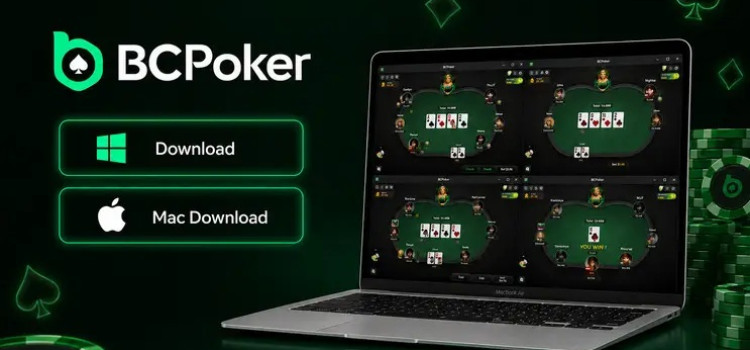
BCPoker has expanded its software lineup with the launch of dedicated desktop clients for Windows and macOS. The new apps give players an alternative to browser-based poker while making multi-tabling easier and providing a more stable playing experience.

Wide game selection
Crypto fiat payments
High stakes available
Browser-based on PC only
No heads-up tables
How to Download BCPoker’s Desktop Client
Getting started is straightforward. After logging into BCPoker, players can click the Download Desktop Client button on the main banner. The appropriate installation file will then download for the operating system being used.
The installation process follows the same basic steps as most poker applications, so players should be able to get up and running quickly.
There is one small issue to be aware of after closing the application. If the BCPoker client does not reopen through its desktop shortcut, players should check the system tray, right-click the BCPoker icon and select “Show Main Window.”
Easier Multi-Tabling
The biggest advantage of the desktop client is its improved multi-tabling functionality.
The overall interface remains familiar, with the same home screen, lobby and table design found in the browser version. However, tables now open in separate windows, allowing players to arrange them in a grid or cascade layout.
Players can also save a preferred table arrangement and apply it later. The layout controls are accessible through the square icon in the upper-left corner of a poker table.
This makes a noticeable difference for regular multi-tablers. Instead of manually positioning browser windows, players can organize their tables much more efficiently.
BCPoker currently supports up to four tables simultaneously, so the new client is particularly useful for players who regularly play multiple games at once.
Why Use the Desktop Client?
A dedicated poker application also removes some of the limitations that come with playing through a browser.
Because the desktop client runs directly on the computer, tables can load more quickly and the poker interface should remain smoother during longer sessions. Players also avoid some of the problems associated with accidentally refreshing or closing a browser tab while playing a hand.
The difference can be especially useful during multi-tabling sessions, where browser performance can become more noticeable over time.
For players using mid-range computers, a standalone poker client can also provide a more focused environment designed specifically for running poker tables rather than sharing resources with multiple browser tabs and extensions.
A Useful Upgrade for BCPoker Players
BCPoker’s desktop launch does not completely change the look or feel of the platform, but it improves one of the most important parts of the online poker experience: actually playing the tables.
The combination of dedicated Windows and macOS applications, easier table organization and potentially smoother performance makes the desktop client a worthwhile option for regular players.
If you're ready to try BCPoker, sign up with DonkHunter to access our latest BCPoker deal and rakeback offer. Contact us and we'll help you find the right option for you.
Poker rooms

BetKings
- Rakeback up to 60%
- Deposit bonus 600$

PokerKing
- Rakeback up to 65%
- Deposit bonus 1000$

CoinPoker
- Rakeback Contact us
- Deposit bonus 2000$

Tiger Gaming
- Rakeback Contact us
- Deposit bonus 1000$

WPT Global
- Rakeback up to 45%
- Deposit bonus 1200$
Recent blog & news
The Excellent Habits of Being a Poker Pro
We will talk about professionalization in poker and how it can be achieved in a systematic way as in other professions, be it mathematician, lawyer, accountant,...
WPT Global: World Poker Tour official online poker room
This new poker room has the world-famous WPT brand and kicked off last month. It already has hundreds of online players and up to a $1200 deposit bonus! Let's discuss...
Best Suprema Poker Clubs Review
Learn all about the Suprema Poker app and the best clubs according to the type of games and stakes of your choice.